
TradeLyser is a trading journal for traders on NSE and BSE. It brings your trades in from your broker with their charges, and gives you one place to tag them, group them by strategy and review them each week.
This page explains what the product does, how trades get in, the main parts of the app and a plan for your first week. TradeLyser is software for reviewing your own trading. It does not give tips, signals or financial advice, and every order remains your decision.
What a trading journal does
Your broker app records what happened: fills, P&L and charges. A journal adds what the broker cannot know, such as which setup you were trading, how much you planned to risk, whether you followed your rules and how you felt. With that context you can review by strategy and by behaviour, as well as by day.
A spreadsheet can hold the same information, but it depends on you typing every fill and keeping the format the same each week. Many spreadsheet journals stop after a few weeks for that reason. TradeLyser does the importing, and the structure stays fixed.
Getting your trades in
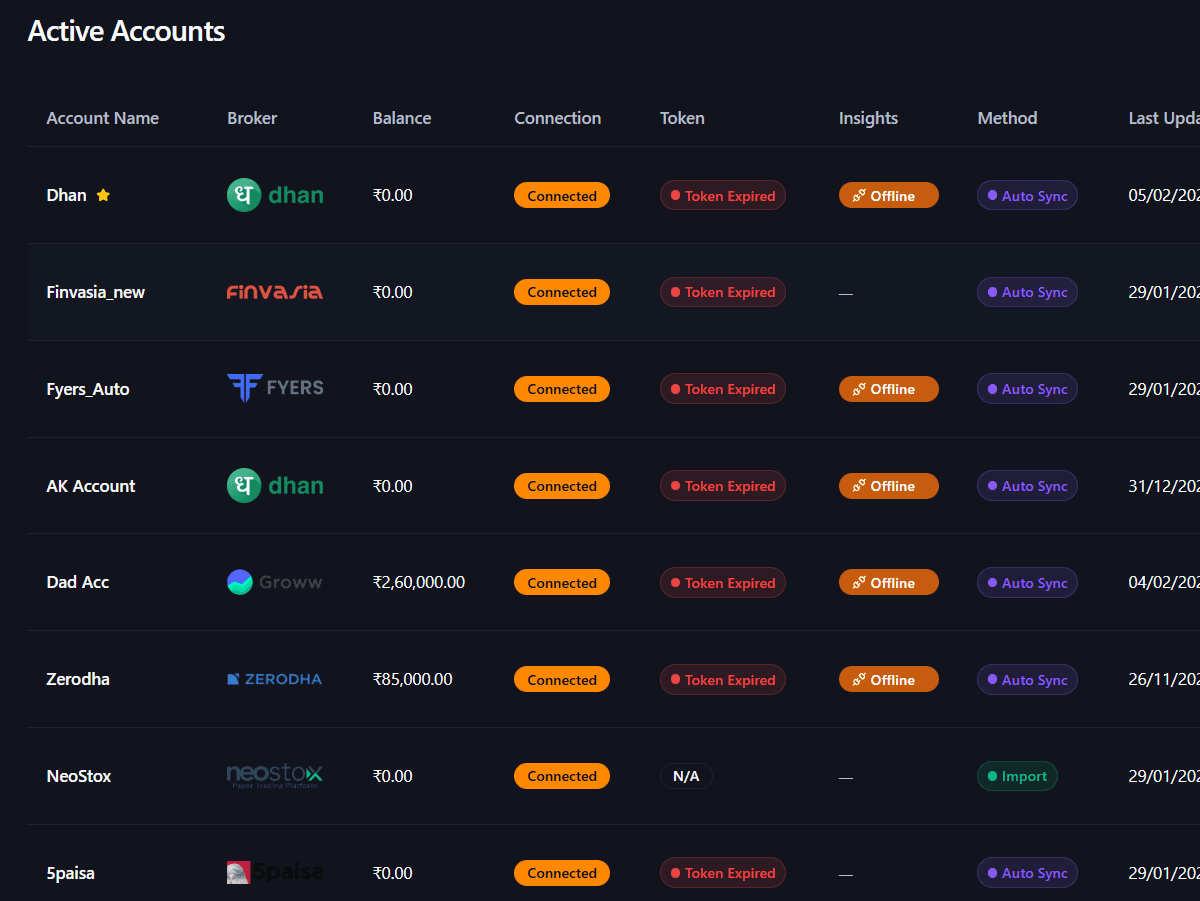
There are two ways in. Auto Sync connects a supported broker account and pulls executed trades. Import takes a CSV file, which suits backfills or brokers without a connection. The Active Accounts table shows each account with its broker, connection, token status, method and last update, so a stale sync is easy to spot.
Inside the Daily Journal, Sync Now pulls the latest trades and Add Trade covers manual entries and corrections. For the first few sessions, compare net P&L in the journal with your contract note. Once the two match, you can trust the numbers built on top of them.
The main parts of the app
Journal
Strategy Lab
Analytics
Review
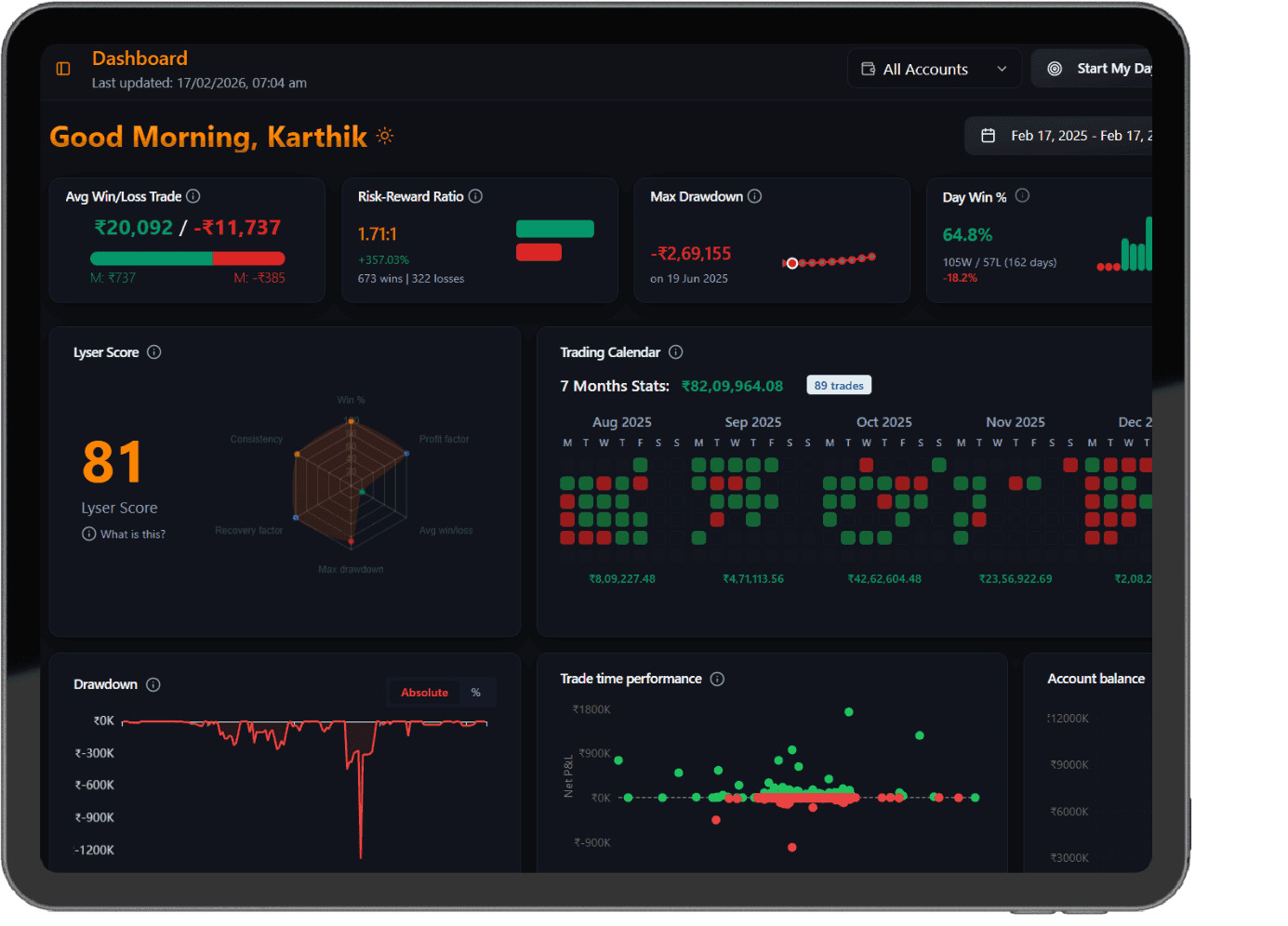
The dashboard is a summary. Use it to decide what to open next, then read the trades underneath before changing a rule. TradeLyser also offers optional LYSA AI summaries that point to patterns in your trades, and mentors can review a student's journal with permission. Check any AI summary against the trades before acting on it.
Your first week
- Connect one broker with Auto Sync, or import a CSV covering the last one to three months.
- Compare one day's net P&L in the journal with your contract note.
- Create one strategy in Strategy Lab for the setup you trade most, and link this week's trades to it.
- Write three to five rules you can mark yes or no, such as a daily loss limit and a maximum number of trades.
- Each trading day, after the close: sync, tag each trade and add one line on mood. About five minutes.
- On Friday, spend 15 to 30 minutes on rules first and P&L second, and write one change for next week.
Keep the scope small at first. One broker, one strategy and a handful of rules give you clean data within a week. Add more strategies once the first one has a steady tagging habit behind it.
Who it suits
- Intraday and swing traders in Indian cash and F&O who want broker sync instead of copy-paste.
- Traders running more than one setup who want numbers per strategy rather than one blended P&L.
- Traders returning after a drawdown who want evidence before adding size.
- Mentors who review a student's journal with the student's permission.
It is less suited to long-term investors with a handful of trades a year. You can log those trades, but the workflow is built around regular sessions and repeated setups.
Questions traders ask
Is TradeLyser free to try?
Yes. You can sign up and explore broker sync, the journal and reports before choosing a paid plan. Check the pricing page in the app for current plans.
Which brokers does TradeLyser connect to?
Auto sync works with Zerodha, Dhan, Fyers, Groww, Angel One, Upstox, Kotak, 5paisa, Alice Blue, Finvasia and Flattrade, plus Neostox for paper trading. If your broker has no connection yet, you can import trades from a CSV file.
Does TradeLyser give trading tips or signals?
No. TradeLyser is software for logging and reviewing your own trades. It does not recommend trades or give financial advice, and every order remains your decision.