
LYSA, the AI inside TradeLyser, reads your synced trades, tags, strategies and rules, and turns patterns into plain-language summaries and suggestions. It might point out that most of your losses come after 2:30 pm, or that one strategy is carrying the whole month.
Those suggestions can save a lot of review time. They can also push you into changing something every week on the strength of a single card. This page sets out a fixed routine for testing each recommendation against your trades and recording what you decided.
What LYSA recommendations are
LYSA works from the data in your journal. It looks for patterns such as revenge trades, overtrading and setup leaks, flags concentration risk and drawdowns at the account level, and compares how each strategy performs in live trading against its backtest. Its suggestions are tied to your own rules and strategies.
Inside Trading Copilot, specialist agents propose and you approve. Some of them, such as the Market Analyst and Planning agents, talk about the market and the day's plan. Read those as context to check against your own plan, never as instructions to place a trade.
Where recommendations show up
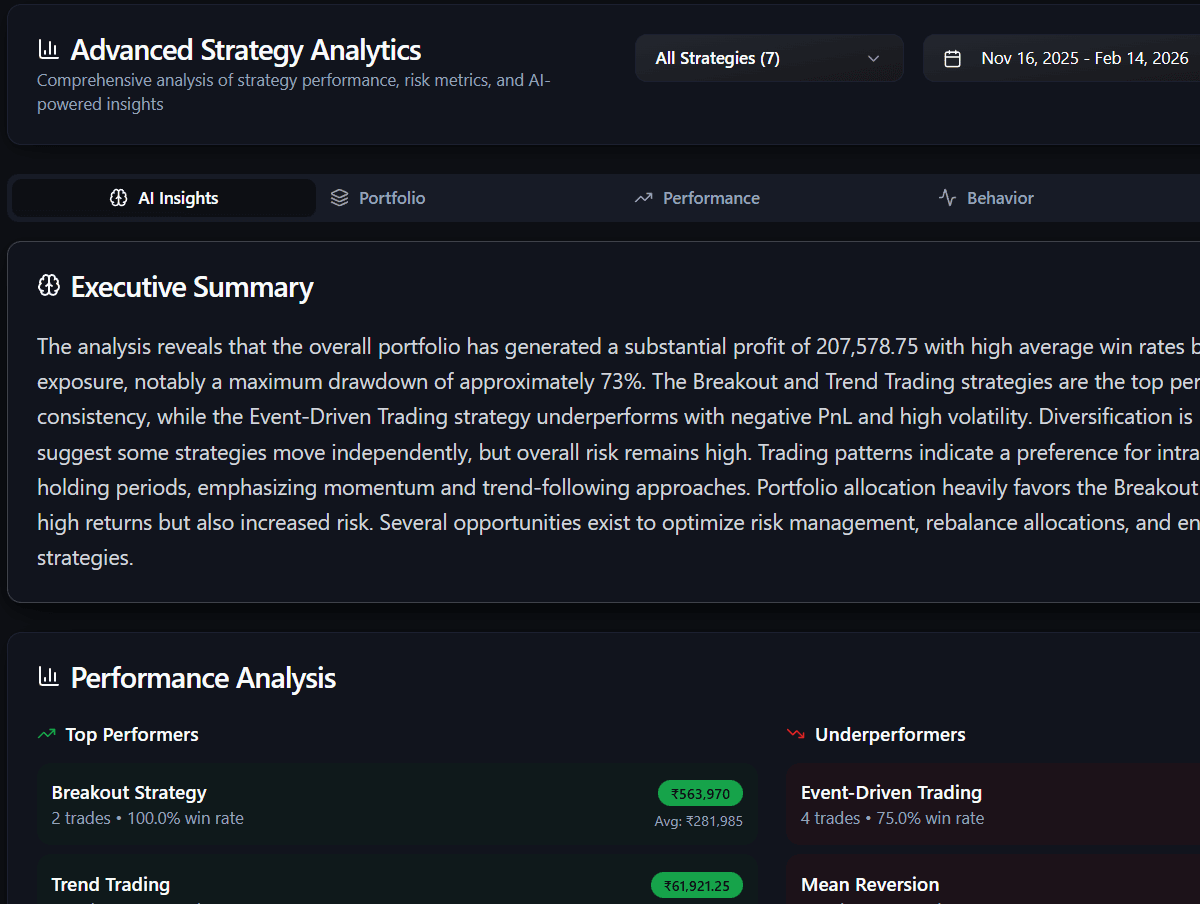
Look at the trade counts in Figure 1. The top performer has 2 trades at a 100% win rate. That is a fact about two trades, not evidence of an edge. As a rule of thumb, wait for 30 or more trades on a strategy before acting on any recommendation about it, whether it praises the strategy or flags it.
You will also get recommendations in LYSA chat when you ask a question, in the day comparison view, and in account analysis. Wherever they appear, the routine below is the same.
Put every recommendation through the same gate
- Read the card and note which metric, tag or strategy it is based on.
- Check the data for that period: every session synced, every trade tagged, charges included.
- Open the trades it refers to and see whether the pattern holds when you read them yourself.
- Decide: accept, reject or defer. Write one sentence on why.
- If you accept, turn it into one rule you can mark yes or no, and check it next Friday.
Worked example: an overtrading flag
Illustrative: on Friday, LYSA flags overtrading. The week had 30 trades against a four-week average of 20, which is 50% above normal. The trader's own rule is a maximum of five trades a day, so 25 for the week, and the rule was broken.
Opening the trades shows where the extra activity went. The 18 trades taken before 2:30 pm made +₹9,600. The 12 trades taken after 2:30 pm lost ₹7,800, mostly small Nifty option scalps with no named setup. Net for the week: +₹1,800. The data is clean and the pattern holds, so the trader accepts and writes one rule: no new entries after 2:30 pm next week.
Notice what the card did not say. It flagged the count, but the trades showed the problem was timing and unplanned setups. Had the late trades been planned expiry-day trades with a positive record, the right call would have been to reject the card and note why. The verification step is where the useful part of the recommendation comes from.
Accept
Reject
Defer
Keep a decision log
A short log in your journal notes turns AI cards into a record you can learn from. After eight weeks, read it back: how many accepted changes held up, and were your rejections honest or defensive?
| Date | Recommendation | Decision | Reason |
|---|---|---|---|
| Fri, week 1 | Overtrading after 2:30 pm | Accept | 12 late trades lost ₹7,800. Rule: no entries after 2:30 pm. |
| Fri, week 2 | Pause the VWAP reclaim strategy | Defer | Only 14 trades so far. Recheck at 30. |
| Fri, week 3 | One symbol drives most of the P&L | Reject | Two-day sync gap on other symbols. Fix data first. |
Mistakes that turn AI into noise
- Opening AI cards before your own review, so the summary sets the agenda.
- Acting on a recommendation about a strategy with only a handful of trades.
- Reading cards mid-session and changing size before the close.
- Accepting every card without opening the trades behind it.
- Rejecting cards without a written reason, which hides avoidance as judgment.
- Treating a market comment from an agent as a reason to enter a trade.
Questions traders ask
Should I follow AI trading recommendations?
Only after checking them against your own trades. A recommendation built from your journal can point to a real pattern, such as late-session losses, but it can also come from missing data or a small sample. Verify, then decide.
Are AI recommendations in a trading journal investment advice?
No. They summarise patterns in trades you have already taken and are meant for reviewing your process. They are not buy or sell calls, and the decision on any trade stays with you.
How many AI suggestions should I act on at once?
One per week. If you change three things together and results improve, you cannot tell which change helped. Log the others as deferred and look at them again next Friday.